
Product update
Switch rules by network with profiles in Throttlr 1.7.0
Throttlr 1.7.0 adds network profiles, separate sets of throttle, block, and quota rules that switch when your Mac joins a Wi-Fi network or wired connection.
By Throttlr ·
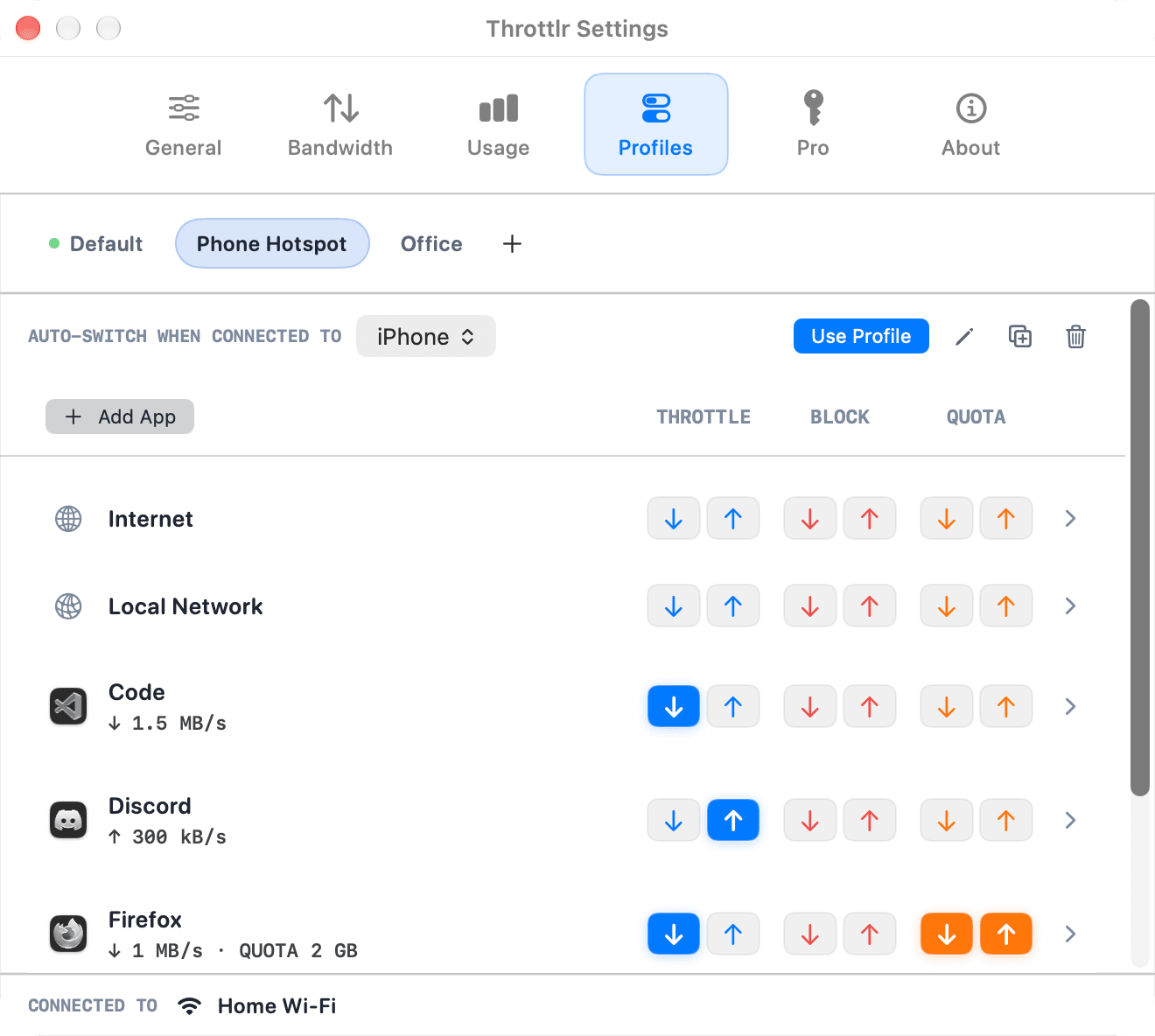
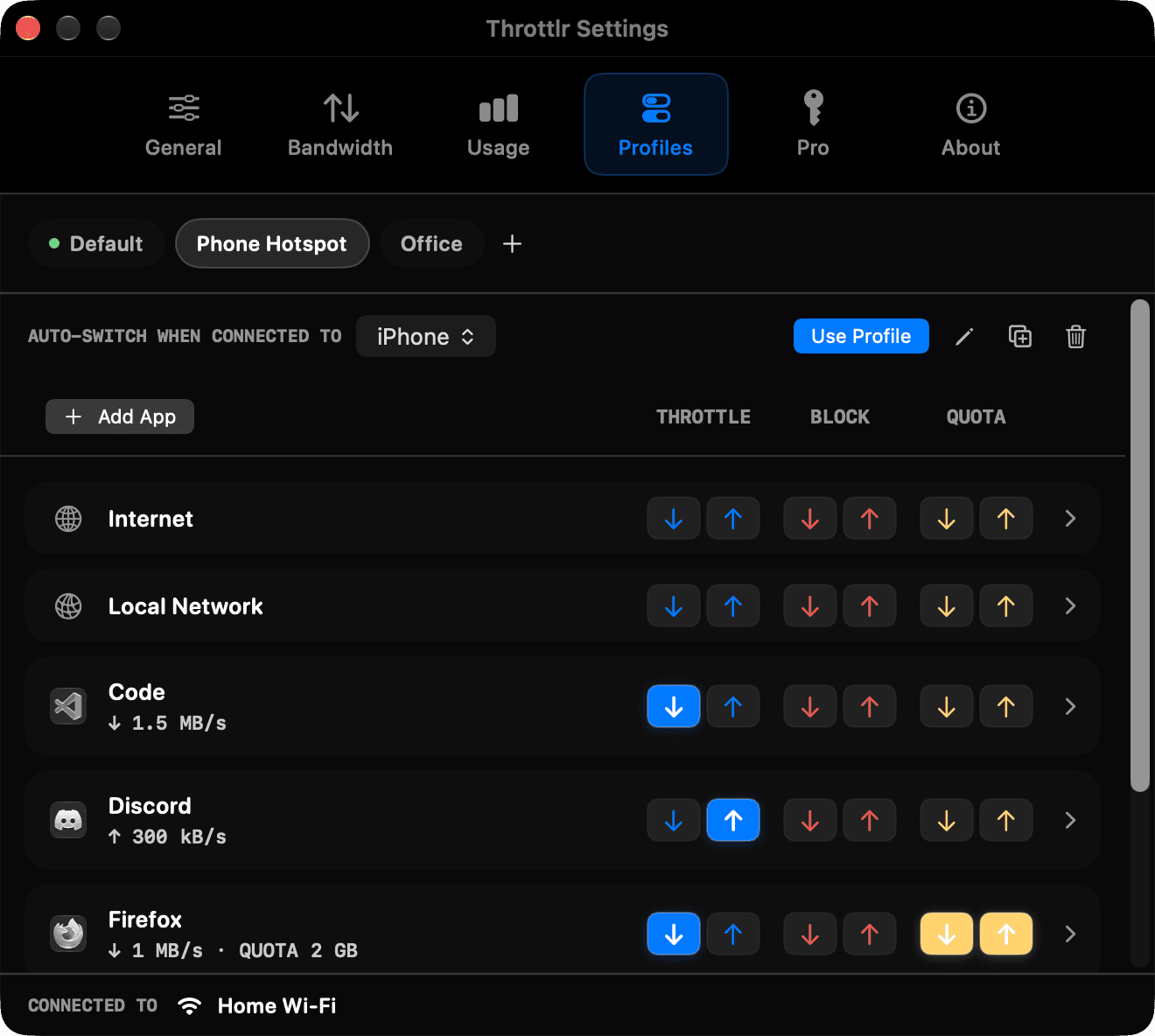
The limits you want at home are rarely the ones you want on a phone hotspot or at the office. Throttlr 1.7.0 adds network profiles: separate sets of rules that switch when your Mac changes networks.
What a profile holds
A profile is a named set of rules for Internet, Local Network, and any app you add. Each rule has the same throttle, block, and quota controls as the dashboard. Click a rule to open all of its settings, and press Escape or the mouse back button to return to the list.
Create, rename, duplicate, and delete profiles in the new Profiles tab in Settings. Your existing rules move into a profile called Default, so nothing changes until you add another one.
Switch automatically by network
Assign Wi-Fi networks or a wired connection to a profile. When your Mac joins one of them, Throttlr switches to that profile. Networks without a profile use Default.
The network picker lists the current network, the Wi-Fi networks your Mac remembers, and Wired, with search. For example, you could block cloud backups and throttle software updates on your phone hotspot, and leave them unrestricted on your home Wi-Fi.
macOS only shares Wi-Fi network names with apps that have Location access, so the Profiles tab asks for it. Throttlr only reads the network name and never reads your location.
Switch by hand
The dashboard toolbar and the menu bar panel show the current network and the active profile. Pick a different profile there to switch right away. A profile you pick yourself stays on until the network changes, and then automatic switching takes over again. Manage Profiles opens the Profiles tab.
Quotas per profile
Each profile keeps its own quota usage. If an app has a 2 GB quota in your hotspot profile, data it uses on your home Wi-Fi does not count toward it. When you switch back, the hotspot usage picks up where it left off, and quotas still reset on their daily, weekly, or monthly schedule.
You can edit a profile while it is not in use. Your changes are saved and apply the next time that profile becomes active.
Also in 1.7.0
- The menu bar Usage tab shows a download and upload bar for each app.
- The row under the pointer stays in place while lists re-sort. You can turn this off in Settings > Bandwidth > App List.
- Keyboard shortcuts have their own window, opened from Settings > General.
- Copy Diagnostics in Settings > About copies a report you can send with a support request.
- A new app icon, and easier-to-read text in the dark theme.
Availability
Throttlr 1.7.0 is available in both the direct-download and Mac App Store editions. Network profiles require Pro. On the free plan, Throttlr uses the Default profile. Throttlr requires macOS 15 or newer.