
Product update
Keep track of data usage with Throttlr 1.5.0
Throttlr now keeps a local history of upload and download usage, with monthly and yearly totals and per-app rankings.
By Throttlr ·
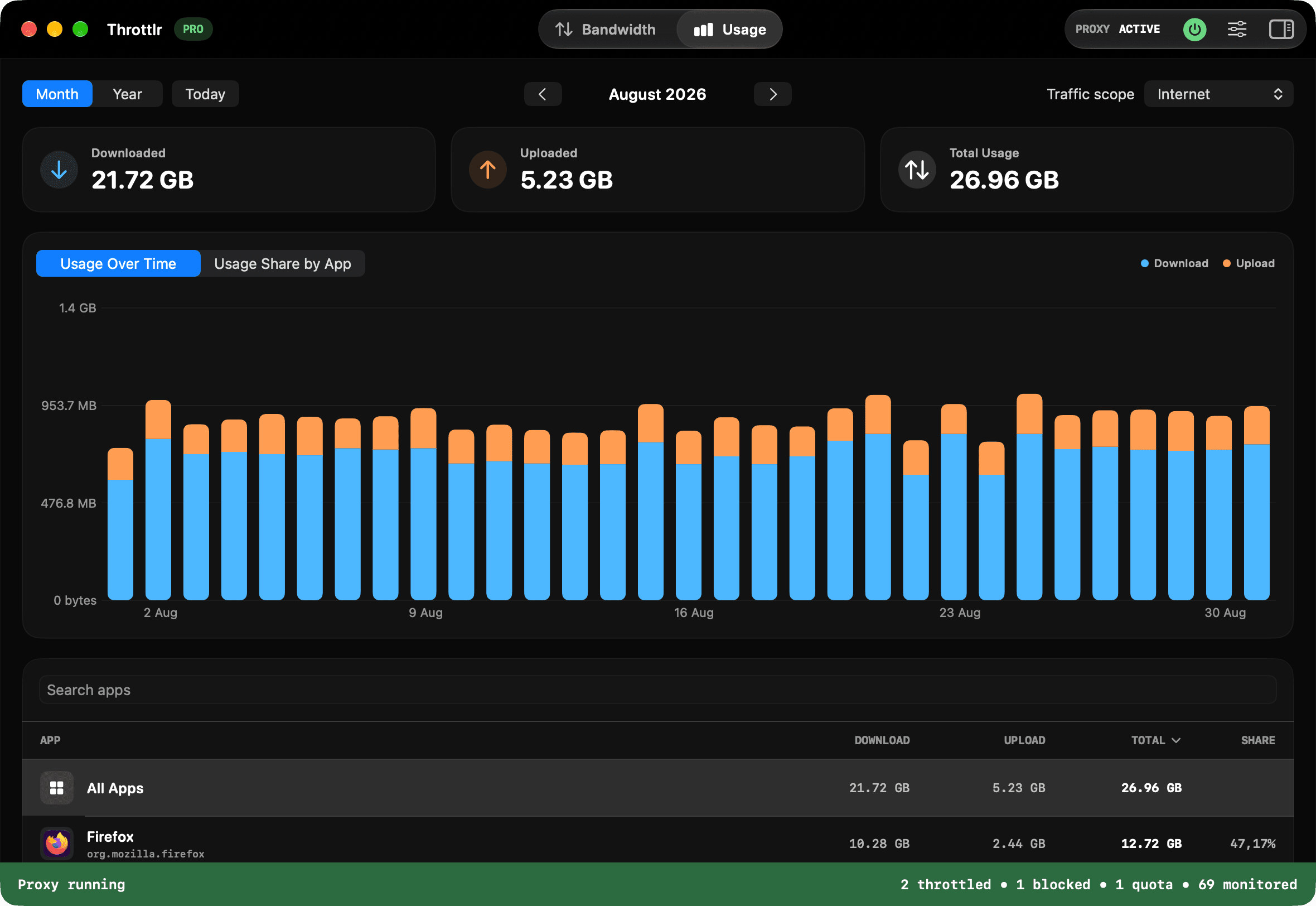
Throttlr 1.5.0 adds usage history. You can now see how much data your Mac uses over time and which apps account for it.
Review monthly and yearly totals
The Usage dashboard separates uploads and downloads, shows the combined total, and charts activity across the selected month or year. Move between periods to compare recent usage with earlier activity.
See which apps use the most data
The app ranking shows upload, download, total usage, and each app's share. Search and sorting make it easier to find a specific app or identify the largest users. You can also filter Internet and local-network traffic.
Keep history on your Mac
Usage history is stored locally and recorded only while the proxy is running. Choose a retention period of one month, three months, one year, or all history, and clear saved usage at any time in Settings.
Availability
Usage tracking is included in the Free plan in both the direct-download and Mac App Store editions. Throttlr 1.5.0 requires macOS 15 or newer.