
Product update
Live network speeds in Throttlr 1.2.0
Throttlr can now show live download and upload speeds in the macOS menu bar.
By Throttlr ·
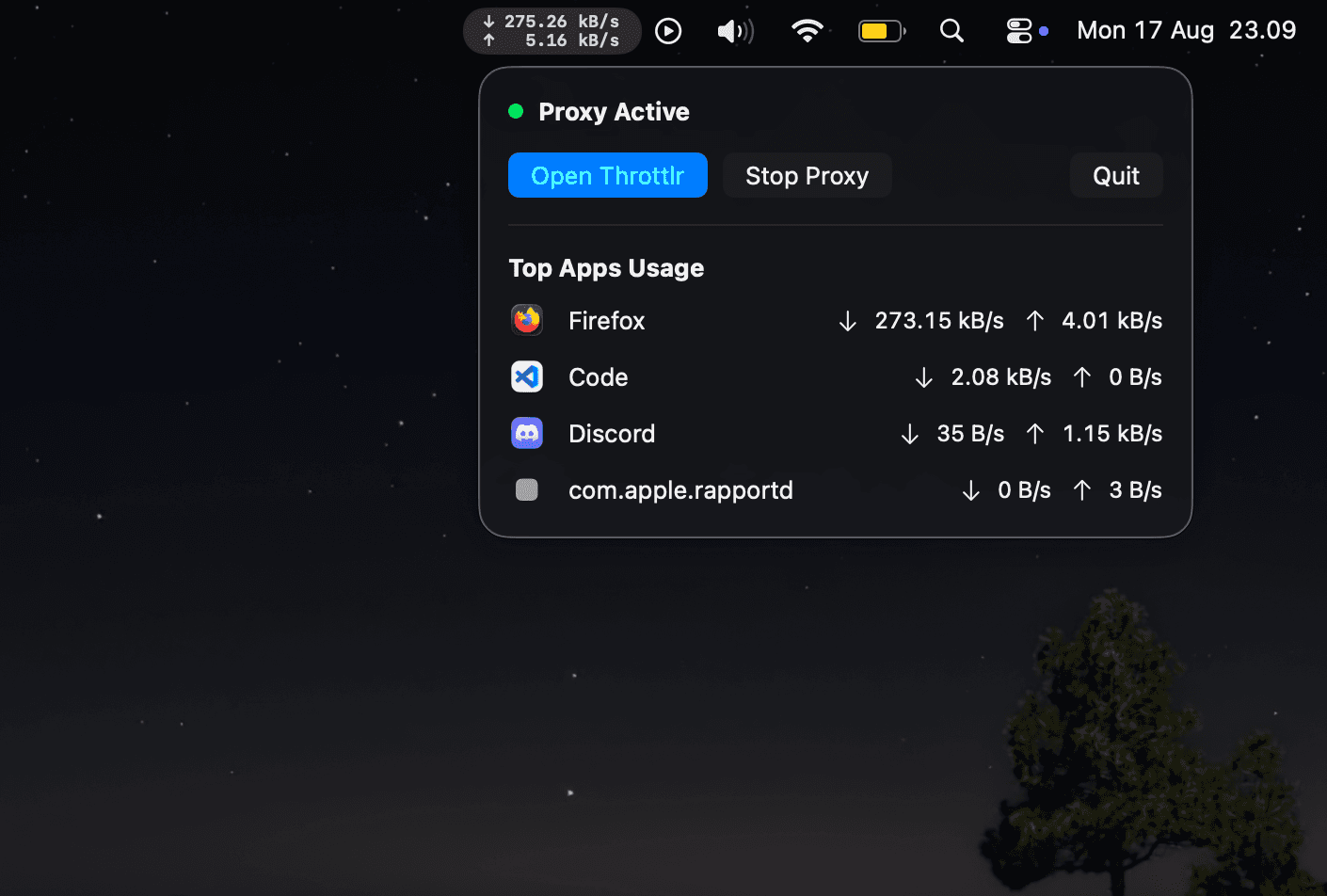
Throttlr 1.2.0 can show live download and upload speeds directly in the macOS menu bar. This lets you check current network activity without opening the app.
Menu bar display
The new display uses a compact two-line layout, with download and upload rates aligned for easier reading. A setting lets you switch between Live Usage and the regular App Icon display. Throttlr remembers your selection after relaunching.
Clicking the menu bar display opens the existing popover. It shows the proxy status, controls for opening Throttlr or stopping the proxy, and the apps currently using the most bandwidth.
Smaller fixes
Opening or closing the popover no longer triggers an unnecessary telemetry refresh. We also adjusted the spacing and alignment so changing rate values remain stable in the menu bar.
Availability
Throttlr 1.2.0 is available in both the direct-download and Mac App Store editions. It requires macOS 15 or newer.